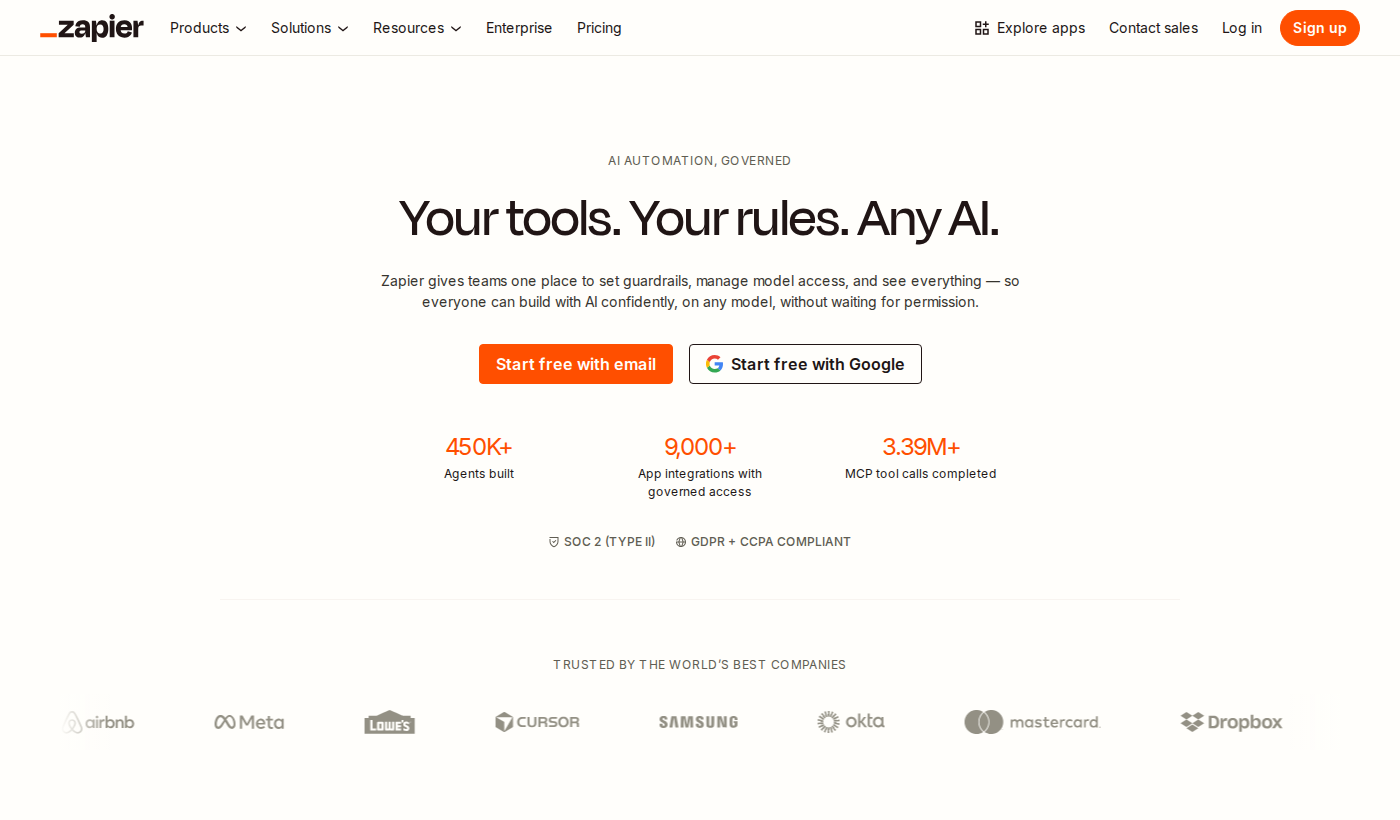
Introduction
Studies show that developers spend nearly 40% of their working hours on repetitive, manual tasks that could be automated — time that could otherwise go toward building, shipping, and innovating. As teams scale and tool stacks grow more complex, the demand for workflow automation has never been higher. Enter Zapier, one of the most recognized names in the automation space.
Zapier promises to connect your apps, automate your workflows, and eliminate the grunt work that slows developer productivity to a crawl. Whether you're routing form submissions, syncing data between platforms, or triggering actions across dozens of tools, Zapier positions itself as the connective tissue of the modern developer's toolkit.
In this in-depth review, we'll break down exactly what Zapier does, who it's built for, what the pricing looks like, and whether it genuinely delivers on its promise of frictionless automation. If you're evaluating Zapier as your next developer productivity investment in 2026, this guide covers everything you need to make an informed decision.
---
What Is Zapier?
Zapier is a no-code/low-code automation platform that connects thousands of web applications through automated workflows called "Zaps." Each Zap consists of a trigger — an event in one app — and one or more actions that execute automatically in response across other connected tools.
At its core, Zapier is designed to bridge the gap between disconnected software without requiring custom API integrations or engineering resources. For developer teams, this means less time writing glue code and more time focusing on work that actually moves the product forward.
Visit Zapier's official website and you'll find a platform that supports thousands of app integrations spanning project management tools, communication platforms, CRMs, databases, and developer utilities. This breadth of connectivity is one of its most compelling differentiators in the developer productivity space.
What sets Zapier apart from traditional integration tools is its accessibility. Non-technical stakeholders can build their own automations, freeing engineering teams from low-priority internal requests. Meanwhile, developers can tap into advanced features like conditional logic, multi-step workflows, webhooks, and custom code steps to build more sophisticated pipelines.
Founded in 2011, Zapier has grown into one of the most widely adopted automation platforms globally — making it a mature, battle-tested developer productivity tool with a deep ecosystem to match.
---
Key Features of Zapier
1. Multi-Step Zaps
Zapier allows users to chain multiple actions together in a single automated workflow. Rather than a simple one-trigger, one-action setup, multi-step Zaps let you build complex automation sequences — for example, capturing a form submission, adding it to a spreadsheet, notifying a Slack channel, and creating a task in a project management tool, all in one flow. This dramatically expands what's possible from a single trigger event and is central to the platform's value as a developer productivity tool.
2. Thousands of App Integrations
One of Zapier's most cited strengths is its sheer breadth of supported integrations. The platform connects with an enormous range of tools commonly used in developer workflows — including GitHub, [Jira](https://atlassian.com/software/jira), [Notion](https://notion.so), Slack, Google Workspace, Trello, and many more. This makes it possible to automate across virtually any stack without writing custom integration code.
3. Conditional Logic (Filters and Paths)
Zapier supports branching logic through Filters and Paths. Filters allow you to stop a Zap from running unless specific conditions are met, while Paths enable different sequences of actions depending on the data received. This logic layer transforms Zapier from a simple connector into a genuinely capable workflow automation engine, particularly useful for routing and conditional notification systems.
4. Webhooks and Custom Code Steps
For developers who need to go beyond the no-code interface, Zapier offers webhook support and JavaScript/Python code steps. This means you can send or receive HTTP requests and execute custom logic inline within a Zap — bridging the gap between visual automation and programmatic control. It's a feature that makes Zapier relevant not just to non-technical users but to developers who want flexibility without building a full integration pipeline.
5. Scheduled Zaps
Zapier includes scheduling functionality that lets workflows run at defined intervals — hourly, daily, weekly, or on a custom schedule. This is particularly valuable for recurring data sync tasks, automated reporting, or timed notifications that don't rely on a specific app event as a trigger.
6. Zapier Tables and Interfaces
More recently, Zapier has expanded its product surface to include Tables (a built-in database layer) and Interfaces (a tool for building lightweight internal apps and forms). These additions position Zapier as more than just a connector — it's building toward a broader developer productivity platform where data storage and simple front-ends can live natively within the same ecosystem.
7. Task History and Error Monitoring
Zapier provides a task history log that records every Zap run, including successes and failures. Developers can inspect individual runs, view the data passed between steps, and replay failed tasks. This observability layer is critical for production automation workflows where debugging and reliability matter.
---
Zapier Pricing & Plans
Pricing information for Zapier is not fully detailed in the available research brief. For the most current and accurate pricing tiers, we recommend visiting Zapier's official pricing page directly, as plans and task limits are updated regularly.
What is publicly known is that Zapier operates on a tiered subscription model with a free plan that allows users to get started with basic automation at no cost — making it accessible for individual developers and small teams exploring the platform's capabilities. Paid plans unlock higher task volumes, multi-step Zaps, premium app integrations, and advanced features like conditional logic and custom code steps.
Zapier's pricing is primarily task-based, meaning the cost scales with how many automation actions your workflows execute each month. This model can be cost-efficient for light usage but may become significant for teams running high-volume automations across many workflows.
View Zapier pricing on their website to get the latest details on plan inclusions, task limits, and any available free trial options before committing.For most individual developers and small teams looking to explore automation as a developer productivity strategy, starting with the free plan and upgrading based on actual task usage is the recommended approach.
---
Pros & Cons of Zapier
Zapier Pros:
✅ Massive integration library — Thousands of app connectors means almost any tool in your stack is supported out of the box
✅ No-code accessibility — Non-developers can build and manage automations without engineering involvement, freeing up developer bandwidth
✅ Flexible logic capabilities — Filters, Paths, and code steps make it viable for sophisticated automation scenarios, not just simple triggers
✅ Webhook and API support — Developers can extend Zapier beyond its visual interface with custom HTTP requests and inline code execution
✅ Mature, battle-tested platform — With over a decade in the market, Zapier offers reliability and a large community of users and resources
Zapier Cons:
❌ Task-based pricing can escalate — High-volume automation workflows can become expensive quickly as task counts grow
❌ Execution speed isn't real-time on lower plans — Some plans introduce polling delays between trigger and action, which can be a limitation for time-sensitive workflows
❌ Limited information on enterprise SLAs — Specific details around enterprise-grade support and compliance features are not extensively documented in available public research
❌ Complexity ceiling — For very advanced, high-throughput data pipelines, Zapier may hit limitations that purpose-built integration platforms handle more gracefully
---
Zapier vs. Alternatives
When evaluating Zapier as a developer productivity tool, it's worth considering how it stacks up against key alternatives:
Zapier vs. Make (formerly Integromat)Make is Zapier's most direct competitor and is frequently cited for offering more visual, granular control over data transformation within workflows. Make's pricing model is operations-based rather than task-based and is often considered more cost-efficient for complex, high-volume automations. However, Zapier's interface is generally seen as more approachable for beginners and has a broader range of supported integrations.
Zapier vs. n8nn8n is an open-source automation platform that appeals strongly to developers who want self-hosted control, customization, and no per-task pricing. For engineering teams with infrastructure capabilities, n8n offers greater flexibility and cost transparency. Zapier wins on ease of use and managed infrastructure — you don't need to run or maintain anything.
Zapier vs. Microsoft Power AutomatePower Automate is a natural fit for organizations already embedded in the Microsoft 365 ecosystem. It offers deep integrations with Teams, SharePoint, and Office tools. Zapier, however, offers broader coverage across third-party SaaS tools and is more popular among startups and developer-first teams outside the Microsoft ecosystem.
For teams prioritizing ease of use, breadth of integrations, and a mature managed platform, Zapier remains a leading choice in the developer productivity automation category.
---
Who Should Use Zapier?
Ideal for:- Individual developers and indie hackers who want to automate repetitive tasks across their tool stack without writing custom integration code
- Small to mid-sized development teams looking to reduce internal tooling requests and enable non-technical team members to build their own workflows
- Startups that rely on a diverse, modern SaaS stack and need a fast, reliable way to connect apps without dedicated integration engineering resources
- Product and operations teams working alongside developers who want self-service automation without depending on engineering cycles
- Teams evaluating workflow automation for the first time, who would benefit from Zapier's accessible onboarding and large library of templates
Zapier is less ideal for organizations with extremely high-volume automation requirements, those needing real-time data pipelines, or engineering teams that prefer open-source, self-hosted infrastructure.
If you're unsure whether Zapier fits your specific workflow needs, explore Zapier and test its free plan against your actual use cases before committing to a paid tier.
---
Getting Started with Zapier
Getting started with Zapier is deliberately low-friction. Visit Zapier to create a free account — no credit card is required to access the free plan and begin building your first automated workflows.
Once signed in, Zapier walks you through a guided onboarding experience. You'll connect your first two apps, define a trigger event, and set up the resulting action — your first Zap is typically live within minutes. Zapier also offers an extensive library of pre-built Zap templates for common use cases, so you don't need to build from scratch.
For developers wanting to go deeper, Zapier's documentation covers webhook configuration, code step syntax, and API access. The platform also has an active community forum and a library of tutorials for more advanced automation scenarios.
The recommended starting point is to identify your single most time-consuming recurring manual task and build a Zap to automate it. This hands-on approach gives you an immediate sense of the platform's capabilities and limitations in the context of your own developer productivity workflow before expanding further.
Check out Zapier to start your free account today.---
Final Verdict
Zapier has earned its reputation as one of the most accessible and widely adopted automation platforms available to developers and teams in 2026. Its combination of a massive integration library, flexible logic capabilities, and a managed, no-maintenance infrastructure makes it a genuinely strong choice for improving developer productivity — particularly for teams who want to move fast without investing in custom integration engineering.
The primary trade-offs are cost at scale and speed limitations on lower tiers. For teams running lightweight to moderate automation needs, these constraints are unlikely to be dealbreakers. For high-throughput, latency-sensitive workflows, alternative platforms may serve better.
Overall, Zapier delivers real, measurable value as a developer productivity tool for individuals, startups, and growing teams. The free plan offers a risk-free entry point, and the upgrade path is clear based on your actual usage. Learn more about Zapier and test it against your own workflow needs to see if it's the right fit.
Verdict: Recommended — especially for teams at the beginning to intermediate stages of their automation journey.---
Frequently Asked Questions
Q: How much does Zapier cost?A: Zapier offers a free plan with no credit card required, making it accessible to get started at zero cost. Paid plans scale based on task volume and feature requirements. For the latest pricing details and plan comparisons, visit Zapier's website directly as tiers are updated regularly.
Q: What makes Zapier different from alternatives like Make or n8n?A: Zapier differentiates itself through its industry-leading breadth of app integrations, its beginner-friendly interface, and its fully managed infrastructure requiring zero maintenance. Competitors like Make offer more granular data control, while n8n appeals to developers seeking open-source, self-hosted flexibility. Zapier's strength lies in accessibility and ecosystem coverage.
Q: Is Zapier suitable for developers, or is it mainly for non-technical users?A: Zapier works well for both. While non-technical users benefit from its no-code interface, developers can leverage webhooks, JavaScript and Python code steps, and API connectivity to build more sophisticated automation pipelines. It's a flexible developer productivity platform that scales across technical skill levels.
Q: Can Zapier handle complex, multi-step workflows?A: Yes. Zapier supports multi-step Zaps with conditional logic through Filters and Paths, allowing branching automation sequences based on data values. Combined with inline code steps and webhook support, it can handle moderately complex automation scenarios effectively.
Q: Does Zapier offer a free trial for paid plans?A: Zapier's free plan provides ongoing access to core automation features without a time limit. For details on any free trials for paid tiers, visit Zapier to check the latest offer available at sign-up.