Bolt.new Review 2026: Build Full-Stack Apps from Scratch with AI
Bolt.new by StackBlitz is the browser-based AI app builder that promises to take you from a plain-English prompt to a running full-stack application — no local setup, no CLI, no environment configuration. After putting it through a gauntlet of real-world app builds in early 2026, here's the honest verdict for developers, indie hackers, and technical founders.
What Is Bolt.new?
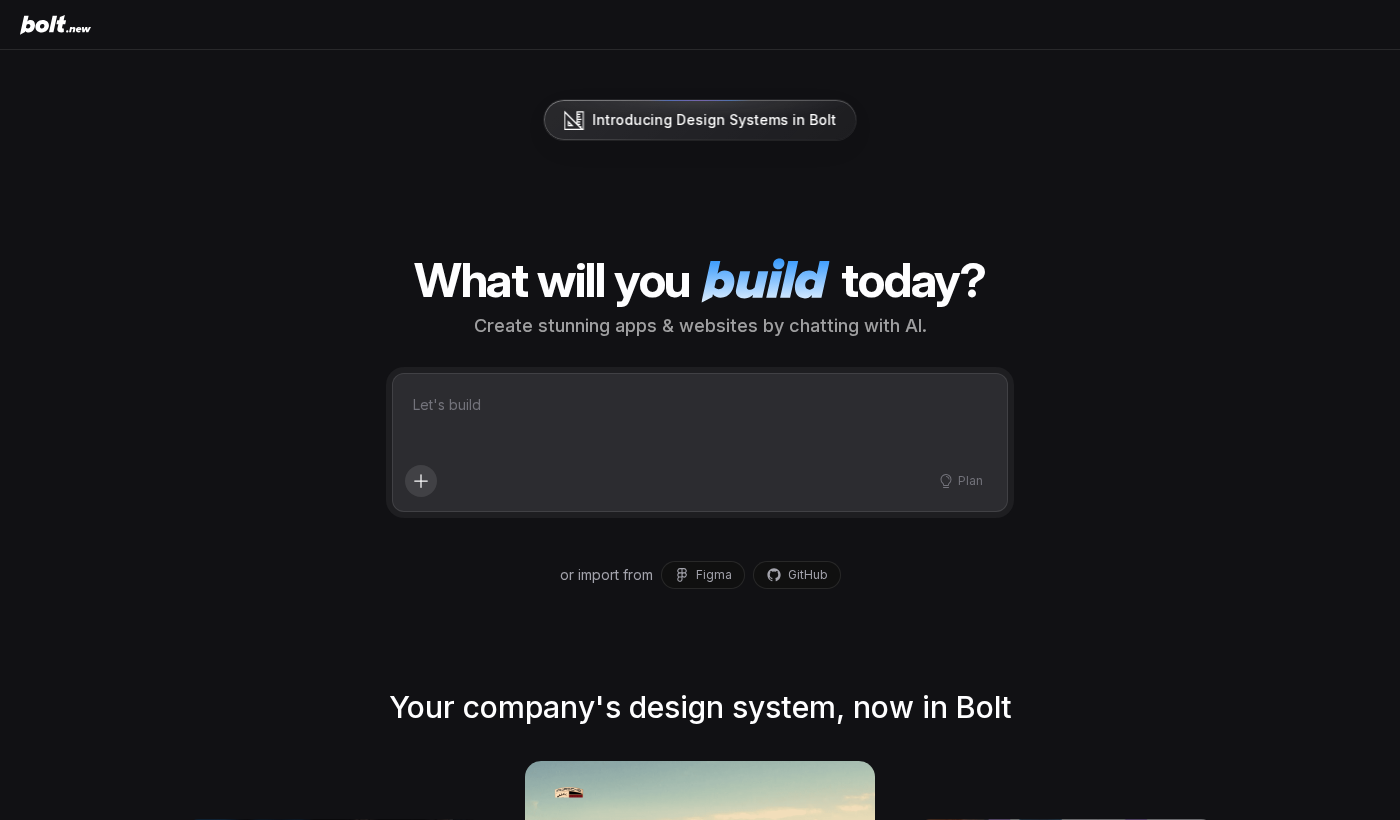
Bolt.new is an in-browser AI-powered development environment from StackBlitz, the company known for running Node.js natively in the browser via WebContainers. It combines a generative AI interface (backed by Anthropic's Claude) with a live coding environment, terminal, file tree, and real-time preview — all running fully in your browser tab.
The core proposition: describe the app you want, watch Bolt scaffold it, then iterate with follow-up prompts. You never touch a terminal unless you want to. At the end, export the code as a ZIP, push to GitHub, or deploy directly to Netlify.
It's competing in a crowded lane alongside Lovable, Replit Agent, and v0 by Vercel — but Bolt's combination of WebContainers technology and Claude's code quality gives it a distinct edge for full-stack work.
Key Features
AI-First App Scaffolding
You start with a prompt. "Build a SaaS dashboard with authentication, a sidebar navigation, and a Stripe billing page." Bolt breaks this into a multi-step execution plan: generate project structure, install dependencies, write components, wire routing. The whole process takes 60–120 seconds and produces a working codebase, not just boilerplate stubs.
The quality of the initial scaffold depends heavily on prompt specificity. Vague prompts produce generic starter code. Precise prompts — specifying tech stack, data models, and UI style — produce code you can actually ship with minimal tweaks.
WebContainers — Real Node.js in the Browser
This is Bolt's genuine technical differentiator. Most browser IDEs simulate a terminal or offload execution to a cloud VM. Bolt runs actual Node.js in your browser tab via WebAssembly. That means npm installs, dev servers, and test runners all execute locally — no server round-trips, near-zero latency, and full offline capability once the environment is loaded.
Practically, this means the feedback loop is faster than cloud-based alternatives. You hit "run" and the app is live in the preview panel in seconds.
Iterative Prompt-Driven Development
After the initial scaffold, you continue with follow-up prompts in the chat panel: "Add a dark mode toggle", "Replace the mock data with a Supabase integration", "Write unit tests for the auth module." Bolt reads the current state of your codebase before each prompt and applies targeted edits rather than regenerating everything from scratch.
This context awareness works well for changes up to moderate complexity. Where it starts to slip is on large cross-cutting refactors — restructuring a data model that touches 15 files tends to produce partial or inconsistent changes that require manual cleanup.
Deployment and Export
Bolt offers one-click deployment to Netlify with your own account connected. You can also export as a ZIP or push to a new GitHub repo. For indie hackers shipping fast, the Netlify integration alone is worth a lot — prompt to deployed URL in under five minutes is genuinely achievable for simple apps.
Tech Stack Support
Bolt works best with the modern JS/TS stack: React, Next.js, Vite, Tailwind CSS, shadcn/ui. It handles Node.js backends (Express, Fastify), SQLite via better-sqlite3, and common integrations like Supabase, Firebase, and Stripe. Python and other non-JS stacks are in early support and notably less polished.
Performance and Reliability
For greenfield React/Next.js projects, Bolt is impressively reliable. Most simple-to-moderate app builds complete without requiring manual intervention. Reliability drops for complex full-stack apps with many moving parts — you might need 2–4 corrective prompts to get a clean build.
The WebContainers runtime does have browser memory limits. Very large projects with many dependencies can hit 2–3GB memory usage and cause tab instability on machines with less than 16GB RAM. For production-grade codebases, Bolt is better used for prototyping and scaffolding than as your primary editor.
Pricing
- Free: Limited daily tokens, community support
- Pro ($20/mo): 10M tokens/month, faster responses, priority compute
- Teams ($50/mo per seat): Shared workspaces, team billing, admin controls
The free tier is enough to evaluate Bolt seriously — build a couple of small apps per day. Pro is priced fairly for the value delivered if you're using it for client work or frequent prototyping. The token model means heavy agentic builds consume budget fast; complex apps can eat 500K–1M tokens in a single session.
Pros
- Zero local setup — runs entirely in browser
- WebContainers give genuinely fast feedback loops
- Claude-backed generation produces high-quality React/Next.js code
- One-click Netlify deploy is a real workflow accelerator
- Good for rapid prototyping and client demos
Cons
- Token consumption for complex builds adds up quickly
- Large projects can stress browser memory limits
- Non-JS stacks (Python, Go) are second-class citizens
- Cross-cutting refactors often produce inconsistent edits
- No desktop app — fully browser-dependent
Who Should Use Bolt.new
Bolt.new is purpose-built for a specific user: someone who wants to go from idea to working prototype as fast as possible and is comfortable with the modern React/Next.js ecosystem. Indie hackers validating SaaS ideas, technical founders building MVPs, and developers who need client demo-ready prototypes in hours rather than days will get maximum value here.
It's not the right tool for: large legacy codebases, teams with strict code review workflows, or developers who primarily work in Python, Go, or other non-JS stacks.
Bolt.new vs. Competitors
vs. Lovable: Similar concept, but Bolt's WebContainers runtime is faster and more capable offline. Lovable's Supabase integration is tighter out of the box.
vs. v0 by Vercel: v0 is UI component generation focused. Bolt builds full runnable apps with backend logic.
vs. Replit Agent: Replit has broader language support. Bolt wins on frontend code quality and deployment speed for JS/TS projects.
Verdict
Bolt.new is one of the most impressive tools in the AI-first development space. The WebContainers runtime is a genuine technical achievement, and Claude's code generation produces scaffolds that are actually usable. For rapid prototyping and MVP building in the React/Next.js ecosystem, it's hard to beat.
The caveats are real: token costs scale with ambition, browser memory limits bite on large projects, and the agentic editing still needs human oversight. But as a first-pass app builder, it's outstanding.
Rating: 8.6/10 — Best-in-class for AI-powered full-stack prototyping in the browser. Ship your next MVP here first.